WhippetInTech
WhippetInTech’s autonomous AI-powered cameraman
Social Sharing block

If you’re familiar with the maker community, you may already have encountered WhippetInTech, a design engineer who documents his builds on YouTube. His projects span CAD design, CNC machining, and 3D printing anywhere that advanced technology can be applied creatively.
|
ADVERTISEMENT |
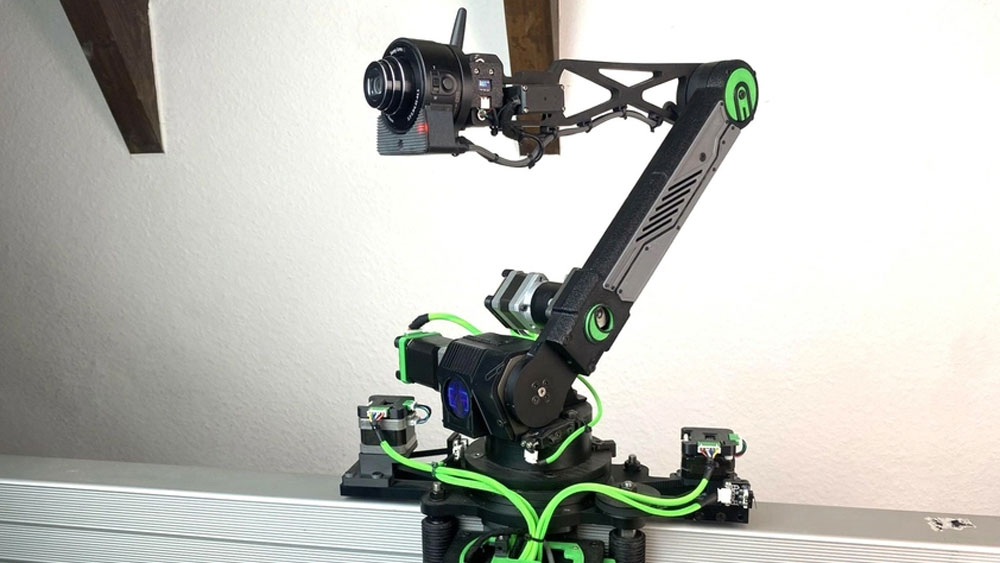
As part of one recent project, he assembled a robotic arm out of salvaged 3D printer parts to create a fun (if slightly overengineered) dog-feeding device. When the mechanism worked, this immediately raised another question: What else can it do? As a YouTuber flying solo, Leon (just Leon, no surname provided) decided that he could use a robotic cameraman—and that’s how his next project was born.
The idea faced two main challenges: stability and weight. His original arm design would drop abruptly at certain angles and occasionally move in a jarring fashion. Attaching a camera would also require a special fixture for heavier equipment. Of course, this is exactly the kind of project that makers dream of, so Leon set about designing and building an autonomous assistant.
Creating an autonomous AI cameraman
The first step was replacing the robotic arm’s planetary gearbox with a harmonic drive. Fitting this required the development of a new coupling. Initially, Leon tried creating this with sand molding. But it wasn’t precise enough, so he switched to CNC machining instead.
Once attached, the harmonic drive allowed for smoother motion, and the robotic arm proved capable of carrying up to 1.25 kg at a time. So, it was clear that two ultralightweight cameras would be required: one for capture and another for tracking him in each shot.
For recording, he chose the Sony QX10. Though reasonably low-quality by today’s standards, its 130 g compact form factor made it ideal. To track his movements, Leon also equipped a USB camera plugged into a Mac Mini. Using You Only Look Once (YOLO) software, the device could be trained to focus on the YouTuber in any given frame.
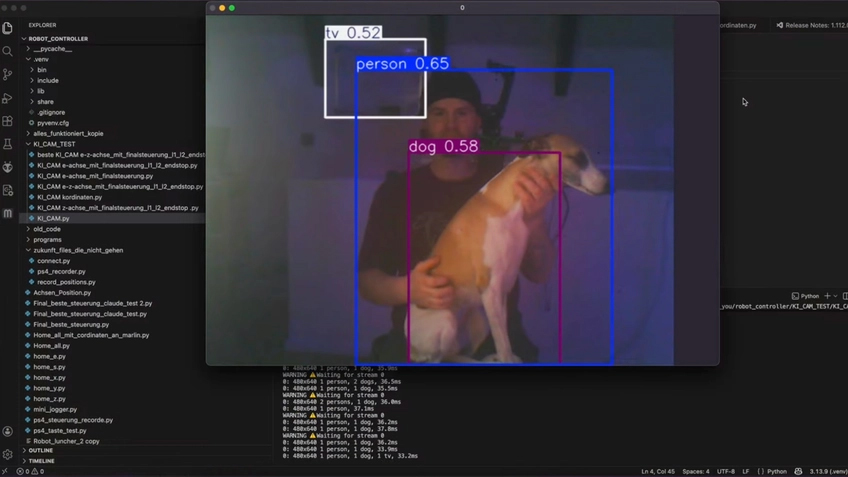
A YOLO software screenshot showing WhippetInTech being tracked by AI. Image courtesy of WhippetInTech
Once all this was in place, all that was required was a custom camera mount. This is where Artec Studio came into play, turning a few photos of the Sony QX10 into an ultrarealistic 3D model that could be used as a reference for designing a fixture in CAD software.
“I had seen a promotional video showing that Artec Studio could now generate 3D models from ordinary photographs,” Leon says. “That made me want to try the feature for myself. I have to admit that I was genuinely surprised by the result. With an object of this size, I had previously only achieved comparable results with Artec Eva after considerably more work.”
CAD design with photogrammetry data
When using handheld 3D scanning, Leon normally has to align, filter, register, and fill holes in Artec Studio to create a complete, watertight 3D model. The AI Photogrammetry workflow is much more straightforward, with the software automating many traditionally manual steps.
After hole-filling and removing the surface underneath the camera, he was ready to use it as a basis for design in PTC Creo. With this advanced software, the photogrammetry model could be scaled to its actual size and turned into solid CAD geometry. This can be done by hand, but it’s extremely difficult with organic shapes. Mesh data make the process much more precise.
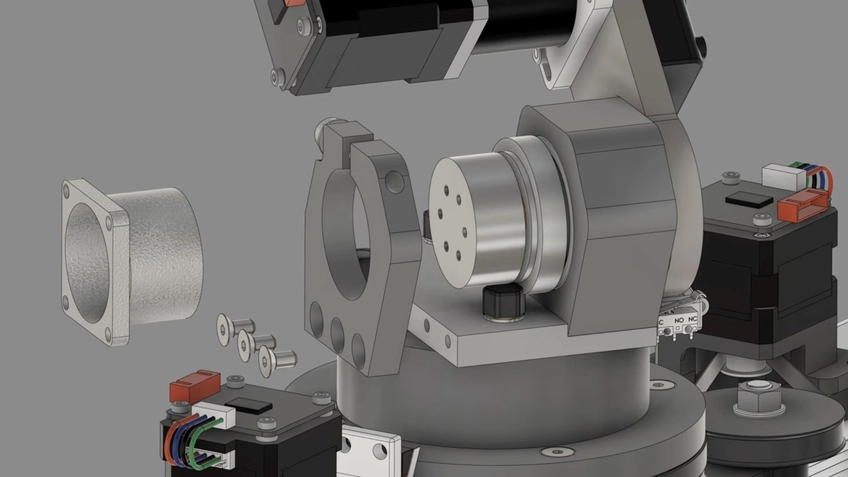
WhippetInTech’s enhanced robotic arm shoulder joint. Image courtesy of WhippetInTech
Once ready, this solid camera model was dropped into a CAD assembly of the robotic arm so a custom housing could be built around the existing setup. To give the robot a futuristic look, the resulting mount was 3D-printed in resin from translucent material. Attached alongside a red LED and Wi-Fi antenna, this made the device look like HAL 9000 from 2001: A Space Odyssey.
“For the camera mounting point and surrounding housing, it was especially important to me that the camera flowed organically into the design,” Leon says. “I didn’t want it to look as though a standard camera had simply been screwed onto the top of a machine. That was one of the reasons I chose this unusually designed camera. Its shape reminds me of a technical eye, and it already has something resembling a character of its own.”
Lowering the barrier to 3D scanning
Leon’s final design worked super-effectively as the robotic arm moved and captured along a preprogrammed path. His AI algorithm also placed a tracking box around him so it could follow the YouTuber around the room. The results were so impressive, he has shown it to colleagues—not to advocate photogrammetry, but to show how accessible 3D scanning has become.
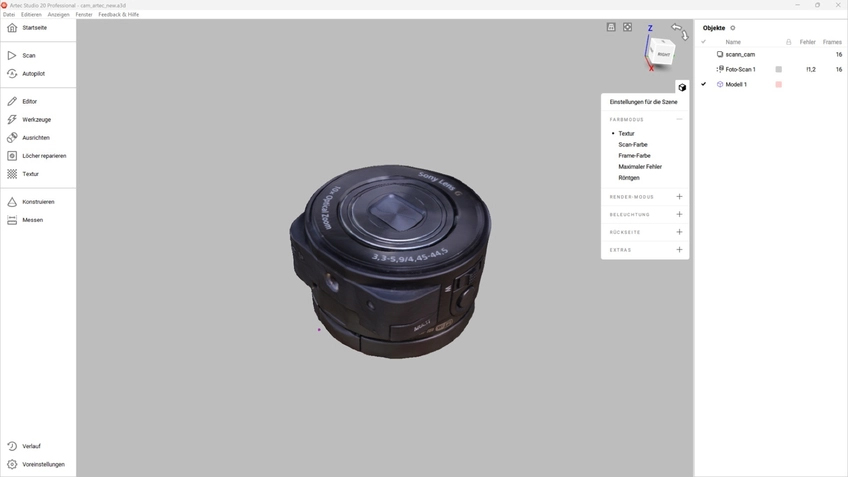
The Sony lens inside Artec Studio. Image courtesy of WhippetInTech
“Almost everyone has access to a smartphone or a suitable camera, which means that usable 3D data can now be created without immediately requiring a dedicated professional scanner,” Leon says. “For me, the two methods don’t completely replace one another. Instead, they complement each other.”
Artec Eva remains his tool of choice where dimensional accuracy and controlled, metrically scaled results are essential. Photogrammetry impressed him with its accessibility, low hardware requirements, and, for a small object like this one, surprisingly high quality.
Every scanning project still raises the same question for him as a design engineer: Is scanning the object worthwhile, or would measuring and modeling it directly in CAD be faster? A scanner produces a mesh, not a finished parametric solid, and rebuilding that solid model remains a significant area of the work.
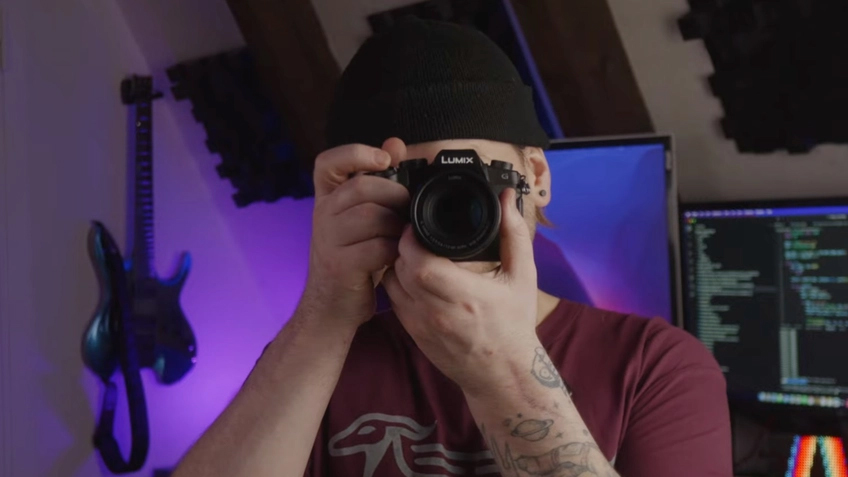
YouTuber Leon of WhippetInTech, with a Lumix camera. Image courtesy of WhippetInTech
“I could imagine future AI-assisted tools, perhaps even developed by Artec, that could automatically convert a scanned mesh into a clean and editable CAD solid model,” Leon says. “That would be extremely interesting and could dramatically accelerate the entire reverse engineering process.”
With new mesh editing, reverse engineering, and inspection features coming to Artec Studio every year, it’s only getting easier to go from scan to CAD. As technology advances, engineers like Leon will get even more creative—pushing boundaries further and further.
AI Photogrammetry is included in both Artec Studio and Artec Studio Lite—a new, accessible version of Artec 3D’s industry-leading software. Discover more about the feature here.
Follow WhippetInTech to stay up to date with his latest creations: https://www.youtube.com/@LionInTech
Published Sept. 24, 2026, by Artec 3D.
Add new comment